
Most corporate live stream failures trace back to three technical decisions made before the event begins: bandwidth allocation, encoding settings, and redundancy planning. Yet most clients ask about cameras and graphics while ignoring these foundational choices. According to Akamai’s streaming research, buffering and connection drops remain the number one reason viewers abandon a live stream within the first 90 seconds. If your live streaming services Malaysia provider cannot explain their upstream bandwidth headroom, their encoding profile rationale, and their failover plan in plain language, you are accepting preventable risk for your brand and your attendees.
Table of Contents
- Quick Takeaways
- Why Technical Setup Determines Event Success
- Bandwidth: What Clients Actually Need to Know
- Encoding Explained Without the Jargon
- Redundancy: Your Insurance Policy for Live Events
- Comparing Live Stream Technical Setups
- What to Ask Your Virtual Event Production Malaysia Partner
- Frequently Asked Questions
- References
Quick Takeaways
| Key Insight | Explanation |
|---|---|
| Upstream bandwidth matters more than download speed | Live streaming pushes data out. Your venue’s upload speed, not download speed, determines stream stability. Plan for at least 3x your target bitrate as overhead. |
| H.264 remains the safest encoding choice for corporate events | H.265 offers better compression but has inconsistent hardware decoder support across devices. For large mixed-device audiences, H.264 at the right bitrate is still the reliable default. |
| A single internet connection is never enough for professional events | Bonded connections combining 4G/5G and wired Ethernet are standard practice for serious virtual event production in Malaysia. Single-ISP dependency is the most common failure point. |
| Encoding bitrate and resolution must match your audience’s connection reality | Streaming at 1080p60 means nothing if 40% of your attendees are on mobile networks. Adaptive bitrate (ABR) ladders ensure everyone gets the best quality their connection supports. |
| Hardware encoders outperform software encoders under load | Dedicated hardware encoders like the Teradek Vidiu or Haivision systems maintain consistent bitrate under CPU load spikes. Software-only setups are vulnerable to encoding drops during complex scenes. |
| Latency targets differ by event type | A corporate town hall tolerates 30-45 second latency on CDN delivery. A live Q&A session requires sub-10-second latency. Mismatching these causes audience interaction failures. |
| Pre-event site surveys are non-negotiable | Network conditions at KL convention venues vary dramatically between ballrooms and breakout rooms. A site survey 48 hours before the event catches problems while there is still time to fix them. |
Why Technical Setup Determines Event Success
Corporate clients investing in live streaming services Malaysia typically spend the most time choosing the right venue, the right host, and the right content flow. The technical infrastructure supporting that content is treated as the production company’s problem. That division of attention creates a gap: clients approve budgets without understanding what they are actually paying for, and some providers cut costs precisely in the areas clients do not scrutinize.
In practice, the three variables that separate a professional live stream from an embarrassing broadcast are bandwidth, encoding, and redundancy. These are not abstract technical concerns. They directly determine whether your CEO’s keynote reaches your 500 online delegates in crisp, synchronized audio and video, or freezes mid-sentence in front of every major client and partner watching from home or regional offices.
The stakes are measurable. A 2023 Conviva streaming report found that a one-second increase in buffering time correlates with a 4.3% drop in viewer engagement. For a 60-minute corporate event streamed to 300 attendees, repeated buffering events can translate to dozens of viewers dropping out and an undermined brand impression that no post-event highlight reel can fully repair.
Bandwidth: What Clients Actually Need to Know
Bandwidth for live streaming is almost always misunderstood by clients. The instinct is to check whether the venue has a fast internet connection. The actual requirement is far more specific: stable, uncontested upstream bandwidth that maintains throughput throughout the event, not just during a speed test at setup.
Upload Speed vs. Download Speed
Most corporate venues advertise their internet in terms that describe download performance. A venue offering 100 Mbps broadband may only have 20 Mbps of stable upstream capacity, especially if that connection is shared across the building during a busy event day. For a single 1080p stream encoded at 8 Mbps, that sounds adequate. But apply the industry standard of maintaining 3x headroom (to absorb fluctuations, platform ingest buffers, and simultaneous data traffic), and you need 24 Mbps of clean upstream just for that one stream.
Shared vs. Dedicated Connections
A common mistake is trusting a venue’s quoted bandwidth without asking whether it is shared. Major convention venues in Kuala Lumpur, Penang, and Johor Bahru typically run shared infrastructure. During peak event hours, 20 different exhibitors or breakout sessions may be competing for the same upstream pipe. Requesting a dedicated VLAN or a temporary dedicated line from the venue’s IT team is standard professional practice. If your live stream technical setup provider does not raise this question during site assessment, that is a warning sign.
Cellular Bonding as a Bandwidth Strategy
Professional live streaming operations in Malaysia increasingly use cellular bonding devices that combine multiple 4G and 5G SIM cards from different carriers into a single aggregated connection. Devices from manufacturers like Peplink or LiveU create a redundant, portable upstream path that does not depend on venue infrastructure. The data consistently shows this approach outperforms venue internet alone for reliability, though it introduces cost that budget providers often skip. When you see a provider quoting significantly below market rate, ask specifically about their upstream connectivity plan.
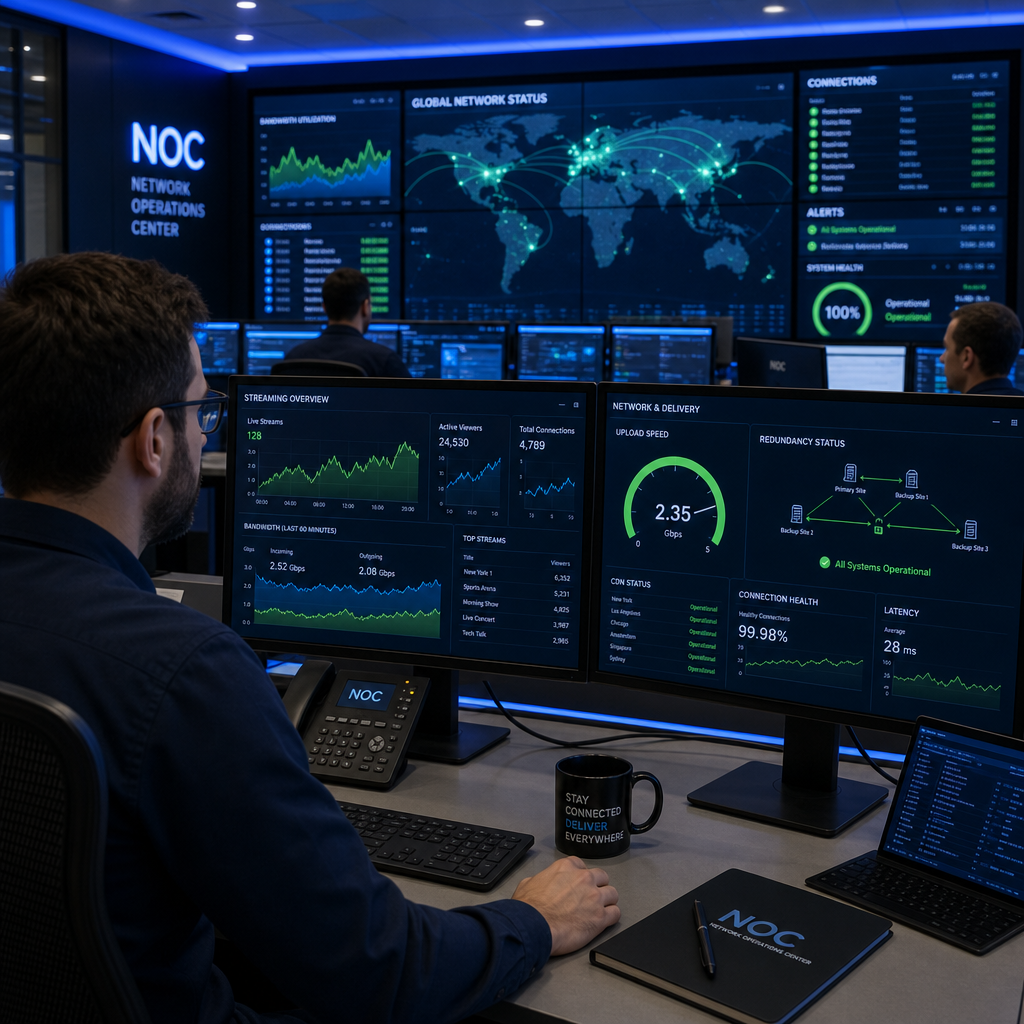
Pro tip: Ask your live streaming provider to share a real-time bandwidth monitoring dashboard during your event. Platforms like Peplink’s InControl or Haivision’s monitoring tools show live upstream throughput and packet loss. If a provider cannot offer this, they cannot prove their connection is holding stable during your broadcast.
Encoding Explained Without the Jargon
Encoding is the process of converting raw video and audio captured by your cameras and microphones into a compressed data format that can travel across the internet to your audience. The encoding choices your production team makes directly affect picture quality, stream stability, and the range of devices your audience can use to watch.
Codec Choice: H.264 vs. H.265
H.264 (AVC) remains the industry default for corporate live streaming in 2024. It is universally supported across browsers, mobile devices, smart TVs, and corporate laptops, including older machines running Windows 7 or 8 that are still common in large Malaysian enterprise environments. H.265 (HEVC) delivers better quality at lower bitrates but requires hardware decoder support that is inconsistent on devices manufactured before 2018. For corporate audiences spanning multiple generations of hardware, H.264 is the reliable choice.
Bitrate and Resolution: Getting the Balance Right
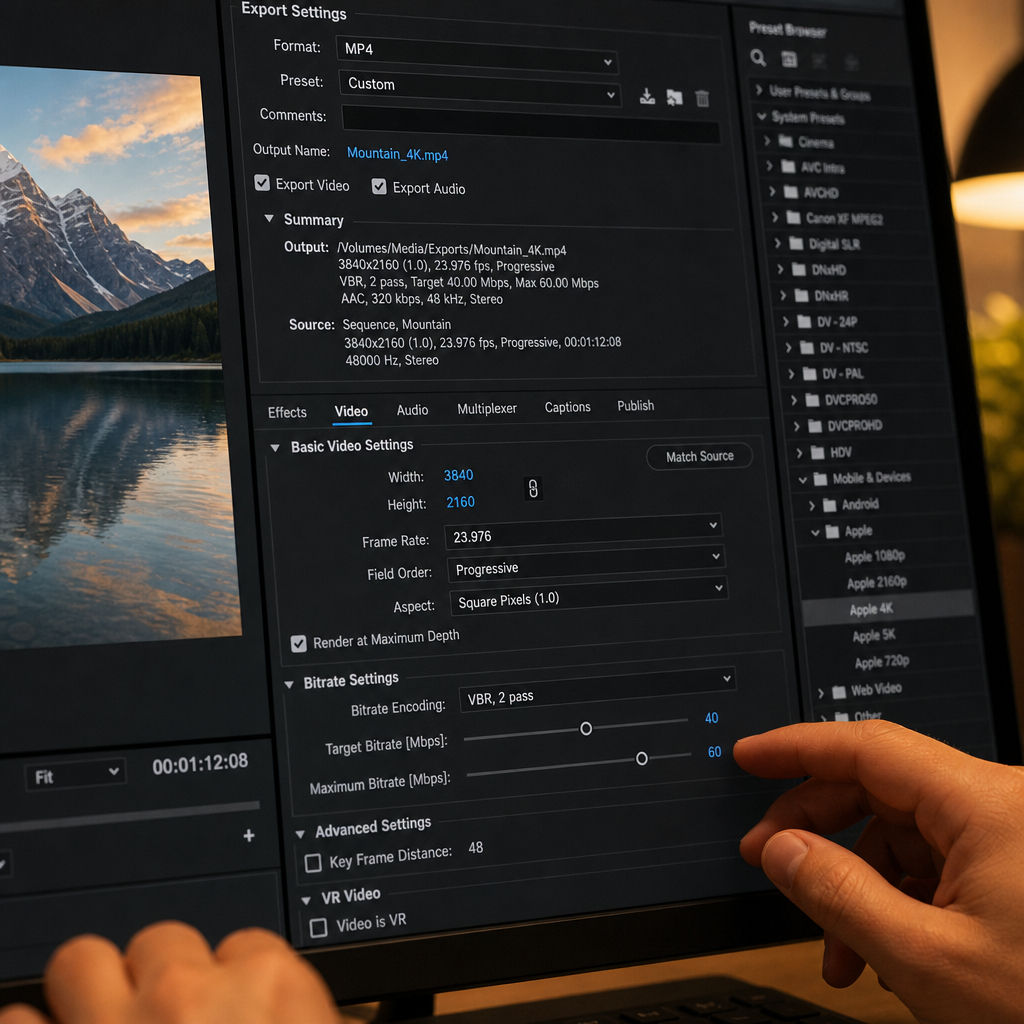
Resolution without sufficient bitrate produces a blurry, blocky image. A 1080p stream at 3 Mbps looks worse than a well-encoded 720p stream at 4 Mbps. The industry benchmark for professional corporate live streaming is 1080p at 6-8 Mbps for the highest quality tier. Below 4 Mbps at 1080p, compression artifacts become visible during motion-heavy scenes like applause, audience shots, or presentations with animated graphics.
Adaptive bitrate (ABR) streaming solves the audience-side problem by delivering multiple quality tiers simultaneously and letting each viewer’s device select the best version their connection supports. Platforms like YouTube Live, Vimeo, and enterprise streaming platforms such as IBM Video Streaming all support ABR delivery. Your encoder must be configured to output multiple renditions, typically a ladder of 1080p, 720p, 480p, and 360p, to make ABR work correctly.
Hardware vs. Software Encoding
Software encoders like OBS Studio are capable tools for lower-stakes productions. For corporate events where failure is not an option, dedicated hardware encoders provide consistent performance that software running on a general-purpose laptop cannot match. A laptop encoding video while also running presentation software, chat tools, and a browser is competing for CPU resources. Hardware encoders like the Teradek Vidiu Pro or Haivision Makito X handle encoding on dedicated silicon with predictable, stable output regardless of what else is happening on the production network.
Pro tip: Always encode at a slightly lower bitrate than your connection’s stable upload capacity. If your bonded connection delivers 30 Mbps reliably, encode your top-tier stream at 10 Mbps, not 25 Mbps. The headroom absorbs network fluctuations that would otherwise cause dropped frames or stream interruptions.
Redundancy: Your Insurance Policy for Live Events
Redundancy means having backup systems ready to take over when any single component fails. In live streaming, the question is never whether something will fail. It is which component will fail and whether you have a replacement ready before the audience notices.
Network Redundancy
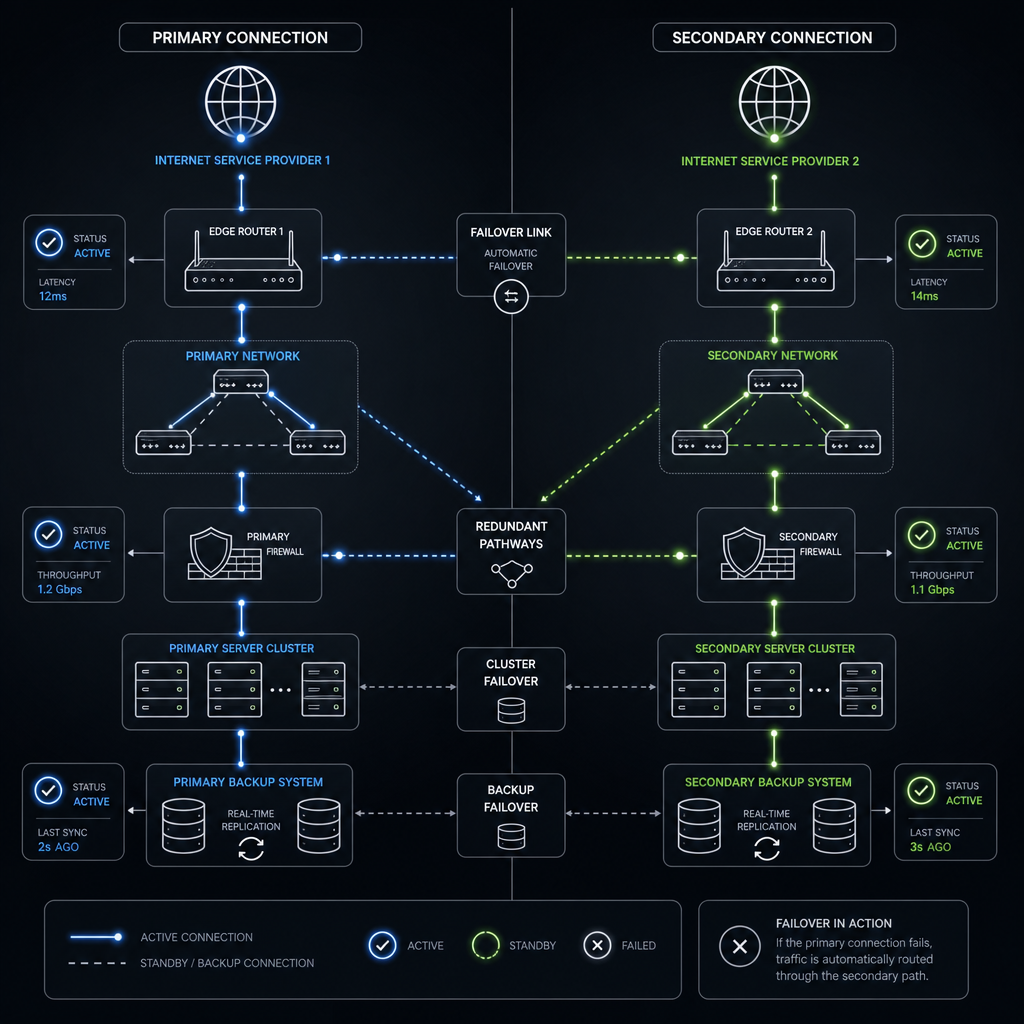
As covered above, bonded cellular connections provide the first layer of network redundancy. A professional live stream technical setup will also include a secondary wired connection from a different ISP as a failover path. Some productions in Malaysia route through both Maxis and TIME dotCom simultaneously, with automatic failover configured in the bonding device. If one ISP experiences an upstream issue, the bonded device redistributes traffic to the remaining paths within milliseconds.
Encoder Redundancy
A single encoder, hardware or software, is a single point of failure. Professional virtual event production in Malaysia should include a secondary encoder configured in a warm standby state, receiving the same video feed and ready to take over stream output with a manual or automatic switch. This is not an optional luxury for high-stakes corporate events. It is the baseline expectation from any production company charging professional rates.
Platform-Level Redundancy
Streaming to a single platform destination is also a risk. Primary ingestion to a CDN like Akamai or AWS CloudFront, with a secondary RTMP endpoint to a backup platform, ensures that a platform-side outage does not black out your event. Some enterprise streaming platforms offer built-in multi-CDN delivery. For Malaysian corporate events with international attendees, CDN selection also affects latency to viewers in Singapore, Hong Kong, and Australia.
“Redundancy in live production is not about expecting failure. It is about making failure invisible to your audience.” – Industry principle cited across broadcast engineering standards, including IBC and NAB technical guidelines.
On-Site Power Redundancy
Network and encoder redundancy is undermined by a single power strip. All critical streaming equipment should run on uninterruptible power supplies (UPS) sized to outlast the longest expected power interruption at the venue. In Malaysian event venues, brief power fluctuations during load changes are not uncommon. A UPS rated for 10-15 minutes of runtime gives the production team time to identify and resolve a power issue without the stream dropping.
Comparing Live Stream Technical Setups
Not all live stream technical setups are equivalent. Below is a direct comparison of three common production tiers you will encounter when evaluating live streaming services in Malaysia. Understanding these differences helps you assess whether a quote reflects the level of reliability your event actually requires.
| Setup Tier | Technical Components | Best Suited For |
|---|---|---|
| Basic (Single-Point) | Laptop software encoder (OBS), single venue WiFi connection, single platform destination, no redundancy | Internal team briefings, low-stakes webinars with under 50 viewers where interruptions are acceptable |
| Professional (Redundant) | Hardware encoder (Teradek or Haivision), bonded cellular plus wired connection, warm-standby secondary encoder, ABR ladder to CDN, UPS power | Corporate AGMs, product launches, press conferences, CEO town halls, events with media attendance |
| Enterprise (Full Redundancy) | Dual hardware encoders in active-active configuration, multi-CDN delivery, dedicated fiber plus bonded cellular, real-time NOC monitoring, 24-hour technical support on standby | Multi-day conferences, hybrid events with international delegates, regulated industry events (finance, healthcare, government) |
What to Ask Your Virtual Event Production Malaysia Partner
Most clients evaluate production companies on showreels and pricing. The questions that actually separate reliable providers from risky ones are technical. Here are the specific questions every corporate event planner or marketing manager should ask before signing a contract for live streaming services Malaysia.
Questions About Bandwidth
Ask: “What is your upstream connectivity plan for our venue, and will you conduct a site survey?” A credible provider will describe a bonded cellular solution or a dedicated line request process. A provider who answers “we will use the venue WiFi” is not ready for professional work.
Ask: “How will you monitor bandwidth in real time during the event?” The answer should include a specific tool or dashboard, not a vague assurance.
Questions About Encoding
Ask: “What encoder hardware or software will you use, and what bitrate profile are you encoding for our audience?” They should be able to name their equipment and explain why that bitrate and codec matches your audience’s likely devices and connections.
Ask: “Will you deliver adaptive bitrate streaming?” If the answer is no, your international or mobile attendees will receive a fixed-quality stream that may buffer or fail on their connections.
Questions About Redundancy
Ask: “What is your failover plan if the encoder fails?” The answer should describe a specific backup device, not a general reassurance that “we have handled events before.”
Ask: “Do you carry UPS units for your encoding and networking equipment?” This is a tell. Production companies that have survived a venue power fluctuation mid-event always carry UPS units afterward. Those who have not yet experienced it often skip this step.
The data consistently shows that the technical questions clients do not ask are precisely where cost-cutting providers reduce their investment. Asking these questions before the event eliminates the most preventable category of live streaming failures.
Frequently Asked Questions
How much upload bandwidth does a professional corporate live stream actually need?
For a single 1080p stream at 8 Mbps, you need a minimum of 24 Mbps of stable upstream bandwidth after applying a 3x headroom factor. For multi-bitrate adaptive streaming or simultaneous streams to multiple platforms, add 8-10 Mbps per additional rendition or destination. Always measure sustained upload speed under load, not peak speed test results, which can be misleading at shared venue connections.
What is the difference between a hardware encoder and a software encoder for live events?
A hardware encoder is a dedicated device with a fixed-function chip designed to encode video consistently under any load condition. A software encoder runs on a general-purpose computer and competes for CPU resources with other processes. Hardware encoders produce more stable, consistent output for professional events and are the correct choice when stream reliability is non-negotiable. Software encoders are acceptable for low-stakes internal streams or practice runs.
What does adaptive bitrate streaming mean for my event audience?
Adaptive bitrate streaming means your stream is delivered at multiple quality levels simultaneously. A viewer on a fast fiber connection at home receives the full 1080p version. A viewer on a mobile 4G connection in a building with weak signal automatically receives a lower-resolution version that plays smoothly instead of buffering. Without ABR, you must choose one quality level and accept that some portion of your audience will have a poor experience.
How does redundancy actually work during a live event?
Redundancy means having parallel systems that can take over instantly when a primary system fails. In practice, this means a second encoder receiving the same video feed, a second internet connection from a different provider, and a secondary platform destination. When the primary system fails, the production team switches to the backup within seconds. Automated failover systems can make this switch without any manual action, reducing audience-visible interruption to under one second.
Is latency a concern for corporate live streaming in Malaysia?
Latency matters depending on your event format. A one-way broadcast presentation can tolerate 30-45 seconds of CDN delivery latency with no audience impact. A live Q&A session where the host reads audience questions in real time requires sub-10-second latency, and ideally under 5 seconds, to feel interactive rather than disconnected. Always specify your latency requirement to your production team based on the event format, not as a general preference.
Can a corporate venue’s built-in internet replace a dedicated live streaming connection?
Rarely. Venue internet is designed for general attendee connectivity and is almost always shared infrastructure with no guaranteed upstream allocation. For professional live streaming, a dedicated connection, either a temporary fiber circuit from the venue or a bonded cellular solution brought by the production team, is the correct approach. Relying on venue WiFi for a corporate broadcast with external stakeholders watching is a risk no professional production company should accept or propose.
What has been your experience with live streaming technical failures at corporate events, and what specific questions are you still unsure how to ask your production partner?
References
- Statista: global live streaming market data, viewer engagement metrics, and streaming technology adoption statistics
- Forbes: business technology coverage on corporate live streaming trends and enterprise video production investment
- HubSpot Marketing Statistics: data on video content engagement rates and audience behavior during virtual events
- Ahrefs Blog: digital marketing and content performance research relevant to corporate video and streaming strategies
- Moz Learn SEO: authoritative resource on content marketing principles applicable to virtual event and video content strategies